
Creating a website can sound complicated when you’re doing it for the first time. Domains, hosting, SSL certificates, content management systems, DNS settings—it can feel like you’re expected to understand an entirely new language before you even publish your first page.
The good news is that getting started doesn’t have to be that difficult.
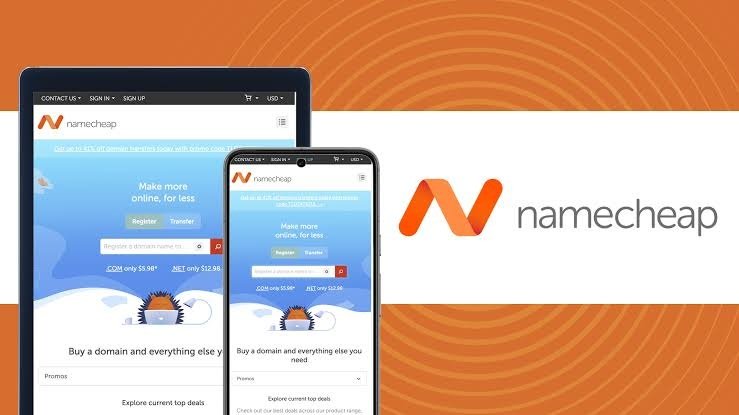
For beginners, the right hosting provider can take much of the technical complexity out of launching a website. Namecheap, known for its domain and hosting services, offers tools designed to help first-time website owners get online without needing advanced technical knowledge.
A Simple Starting Point
One of the biggest challenges for beginners is knowing where to start.
Namecheap’s Shared Hosting is designed as an entry point for websites such as personal blogs, portfolios, and small-business sites. Shared hosting means your website shares server resources with other websites, while the hosting provider takes care of much of the underlying server management.
This allows beginners to concentrate on their website rather than worrying about managing a server themselves.
cPanel Keeps Important Tools Together
Once your hosting is set up, you need a way to manage your website.
Namecheap’s Shared Hosting uses cPanel, a control panel where users can manage areas such as website files, domains, email accounts, databases, DNS settings, and security tools.
For someone new to website hosting, having these functions organized in one dashboard can make the process much easier to understand.
You don’t need to learn every feature immediately. Most beginners only need a handful of tools to get their first website running.
Build Without Starting From Scratch
Not everyone who wants a website knows how to code—and fortunately, you don’t necessarily need to.
Namecheap’s current hosting options include tools such as WordPress and Sitejet AI Website Builder. Sitejet is designed around templates, AI assistance, and a no-code editing experience, while WordPress provides more flexibility through themes and plugins.
This gives beginners different ways to approach website creation depending on how much control and customization they want.
If you’re looking for simplicity, a visual builder can be a comfortable starting point. If you want to learn and customize your website over time, WordPress offers plenty of room to grow.
Security Doesn’t Have to Be Overwhelming
Website security is another area that can intimidate beginners.
SSL is particularly important because it encrypts information exchanged between a website and its visitors. Namecheap says eligible Shared Hosting accounts receive free PositiveSSL protection for the first year, with automatic installation when the relevant domain is correctly pointed to the hosting service.
Namecheap also provides security and backup tools within its hosting environment, although specific features can vary by plan.
The advantage for beginners is that essential website-management tasks don’t necessarily require starting from scratch or handling everything manually.
Professional Email Comes With the Package
A website can be more than just a place to publish content.
If you’re building a portfolio, blog, freelance business, or small company website, having an email address connected to your domain can make your online presence feel more professional.
Namecheap’s Shared Hosting allows users to create domain-based email accounts through cPanel, making it possible to manage website and email services from the same hosting environment.
Help When You Need It
Perhaps the most reassuring part of choosing a beginner-friendly hosting service is knowing that you don’t have to figure everything out alone.
Namecheap currently advertises 24/7 support and free website migration assistance with its hosting offerings.
That can be particularly useful if you’re moving an existing website or simply encounter something unfamiliar while setting things up.
Start Small and Grow From There
Your first website doesn’t need to be perfect.
You might begin with a simple portfolio, personal blog, creative project, or small-business website. As you become more comfortable, you can explore additional tools, improve your design, add features, and learn more about how websites work.
That’s what makes a beginner-friendly hosting setup valuable: it gives you room to learn without requiring you to know everything on day one.
With tools for hosting, website building, domains, security, email, and support in one ecosystem, Namecheap can make the first steps toward launching a website feel much more manageable.










Related Posts



Stay Informed With the Latest & Most Important News
Previous Post
Next Post











-
 01How to Launch a Website Without Technical Skills
 -
 02edX: Learn New Skills and Advance Your Career Online
 -
 03Bus Travel vs Train Travel in the USA: Which Is More Affordable?
 -
 04The Clean Canvas: Inside the Growing Demand for Natural & Premium Skincare
 -
 05How AARP Helps Older Adults Navigate Everyday Life With Valuable Resources and Support
 -
 06Explore Bucket-List Destinations with Malaysia Airlines
 -
 07Why Boden Is a Go-To Brand for Timeless Women’s Fashion