

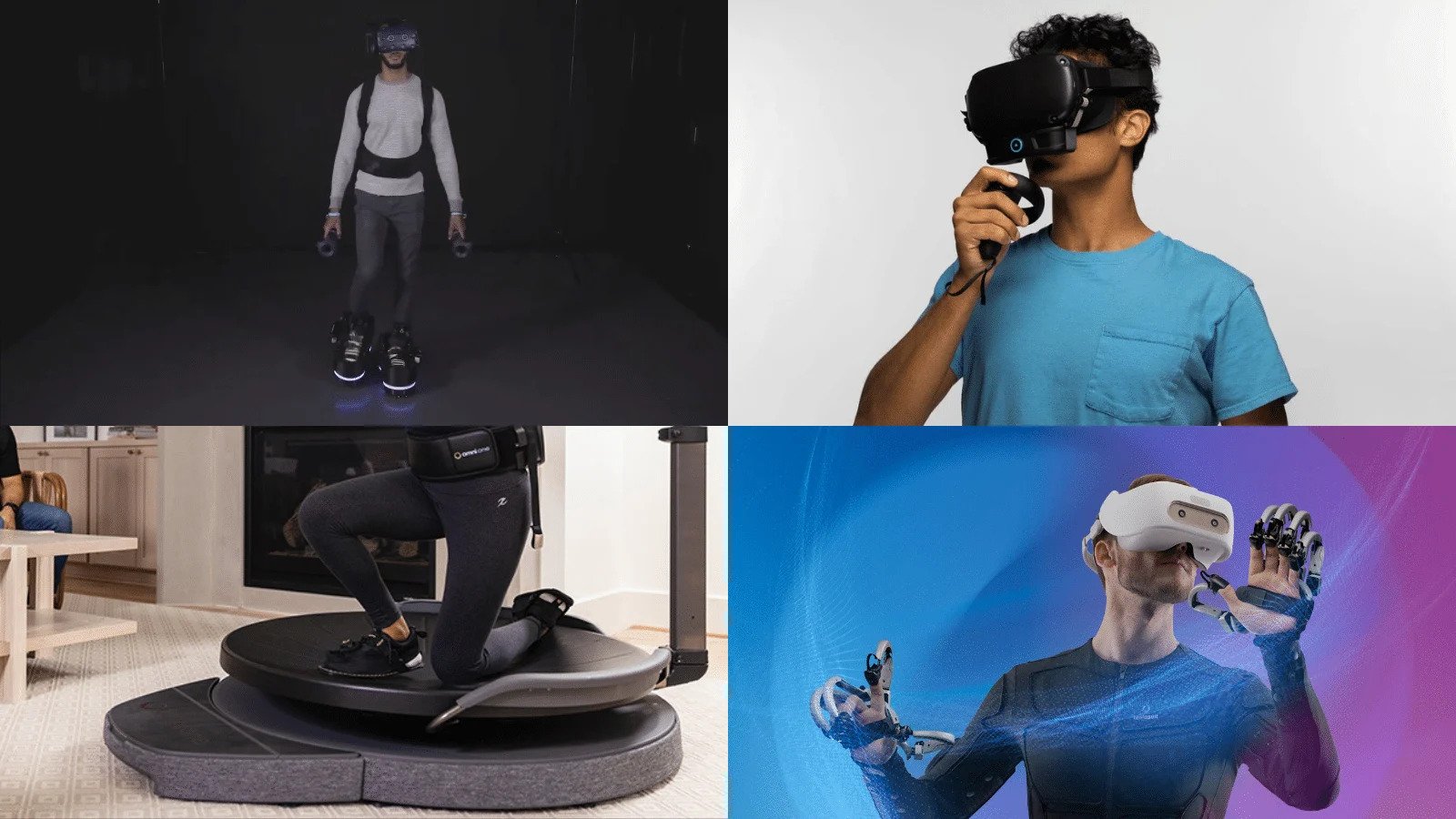
Virtual reality has transformed gaming, entertainment, education, and even professional training by allowing users to step into digitally created environments. While a VR headset is the foundation of the experience, the right accessories can make virtual worlds feel more interactive, comfortable, and realistic.
From motion controllers to immersive audio and improved comfort, VR accessories can enhance different aspects of your experience. Whether you’re a casual user or a dedicated VR enthusiast, choosing the right add-ons can help you get more from your headset.
1. VR Motion Controllers
Motion controllers are among the most important VR accessories. They allow users to interact with virtual environments using their hands instead of relying solely on traditional buttons or keyboards.
Depending on the headset and system, controllers can track hand movements, gestures, and button inputs. This makes activities such as gaming, virtual sports, creative applications, and simulations feel significantly more interactive.
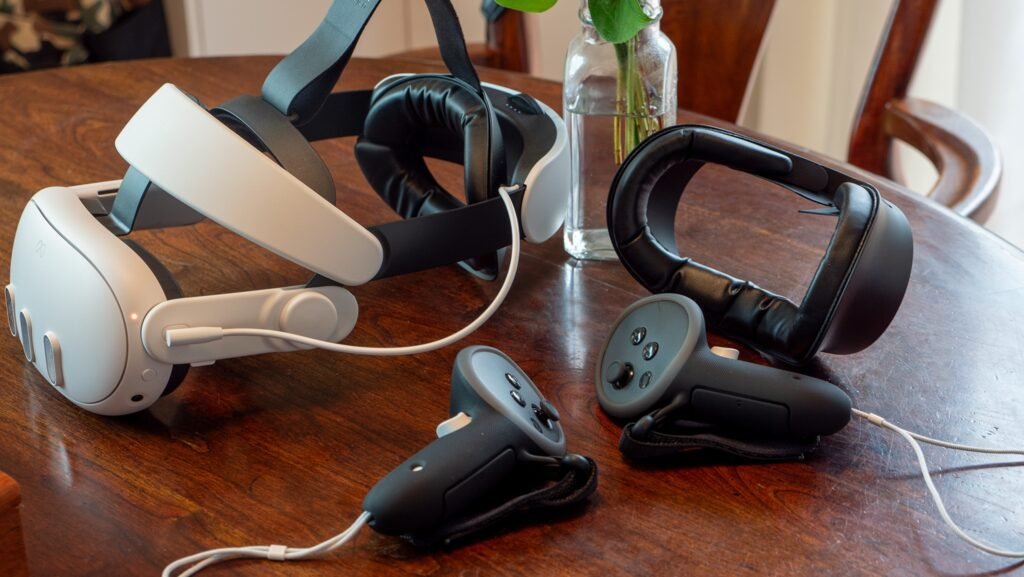
For the best experience, choose controllers specifically designed to work with your VR headset.
2. High-Quality VR Headphones
Sound plays a major role in creating an immersive virtual environment.
A good pair of headphones can provide directional audio, making it easier to identify where sounds are coming from within a virtual world. Whether you’re playing a game, watching a movie, or exploring a virtual environment, better audio can make the experience feel more realistic.
Look for lightweight headphones that are comfortable enough to wear alongside your headset for extended periods.
3. VR Headset Comfort Accessories
A VR session can quickly become uncomfortable if the headset doesn’t fit properly.
Replacement head straps, facial interfaces, and cushioning can improve comfort and help distribute the headset’s weight more evenly. Some upgraded straps may also provide additional adjustment options.
Comfort is particularly important for users who spend longer periods in VR. A better-fitting headset can reduce pressure and make extended sessions more enjoyable.
4. VR Controllers and Grips
Controller grips can provide additional security and comfort during active VR games.
They can make controllers easier to hold and reduce the chance of accidentally dropping them during fast movements. Some grips are designed with textured surfaces or adjustable straps for a more secure fit.
If you regularly play action, fitness, or sports-based VR games, controller grips can be a useful addition.
5. Rechargeable Batteries and Charging Docks
Frequent VR users know how inconvenient it can be when a controller or headset runs out of power in the middle of a session.
Rechargeable batteries and dedicated charging docks can make device management easier. Instead of repeatedly purchasing disposable batteries or searching for cables, users can keep their equipment charged and ready.
A charging station can also help keep your VR setup organized when the headset isn’t being used.
6. VR Cable Management Systems
For wired VR setups, cables can become a significant inconvenience.
Cable management accessories can help keep wires organized and reduce the chance of stepping on or becoming tangled in them. Ceiling-mounted systems, clips, and other cable-routing solutions can create a cleaner play area.
A well-organized setup can also make room-scale VR safer and more comfortable.
7. Protective Cases
A VR headset is a significant investment, so protecting it when you’re not using it is important.
A dedicated VR carrying case can protect the headset, controllers, cables, and other accessories from dust, scratches, and accidental damage.
Cases are especially useful if you frequently travel with your VR equipment or move it between different rooms.
8. VR Exercise Accessories
Virtual reality isn’t limited to traditional gaming. Fitness-focused VR experiences have become increasingly popular.
Accessories such as specialized controller grips, exercise mats, and wearable tracking equipment can make fitness sessions more convenient. A non-slip mat can also help users maintain awareness of their physical position while moving in VR.

Always make sure you have enough clear space before starting an active VR workout.
9. External Tracking Accessories
Some advanced VR experiences benefit from additional tracking hardware.
Depending on the VR platform, external trackers can improve body or movement tracking and provide more precise interaction. These accessories can be particularly appealing to enthusiasts who want more realistic movement in simulations, social VR, or advanced gaming experiences.
Compatibility is essential, so check whether a tracking accessory works with your specific headset and software.
How to Choose the Right VR Accessories
You don’t need every accessory available. Start by identifying what limits your current VR experience.
If comfort is the problem, prioritize a better head strap or facial interface. If audio feels underwhelming, consider headphones. For active gaming, controller grips and a suitable floor mat may be more useful.
Always check compatibility before purchasing, as accessories can vary between VR platforms and headset models.
Final Thoughts
The right VR accessories can turn a good virtual reality setup into a much more enjoyable and immersive one. Better audio can make digital environments feel more realistic, upgraded comfort accessories can support longer sessions, and controllers or tracking equipment can improve interaction.
The best approach is to build your setup gradually. Focus on accessories that solve actual problems and complement the way you use VR.
With the right combination of comfort, sound, control, protection, and organization, your virtual reality setup can become more immersive without becoming unnecessarily complicated.










Related Posts


Stay Informed With the Latest & Most Important News
Previous Post
Next Post












-
 01Top 15 Trending Products Everyone Is Buying Right Now
 -
 02Dangerous Destinations: Where You Might Want to Rethink Travel Plans in 2026
 -
 03Seasonal Home Cleaning and Maintenance Guide: Keep Your Home in Top Shape All Year
 -
 04Vrbo vs Airbnb: Which Vacation Rental Platform Should You Choose?
 -
 05Best Drinks to Boost Immunity Naturally
 -
 06Top Flight Booking Hacks Every Traveler Should Know in 2026
 -
 07Winter Skincare Essentials: How to Keep Your Skin Healthy in Cold Weather