
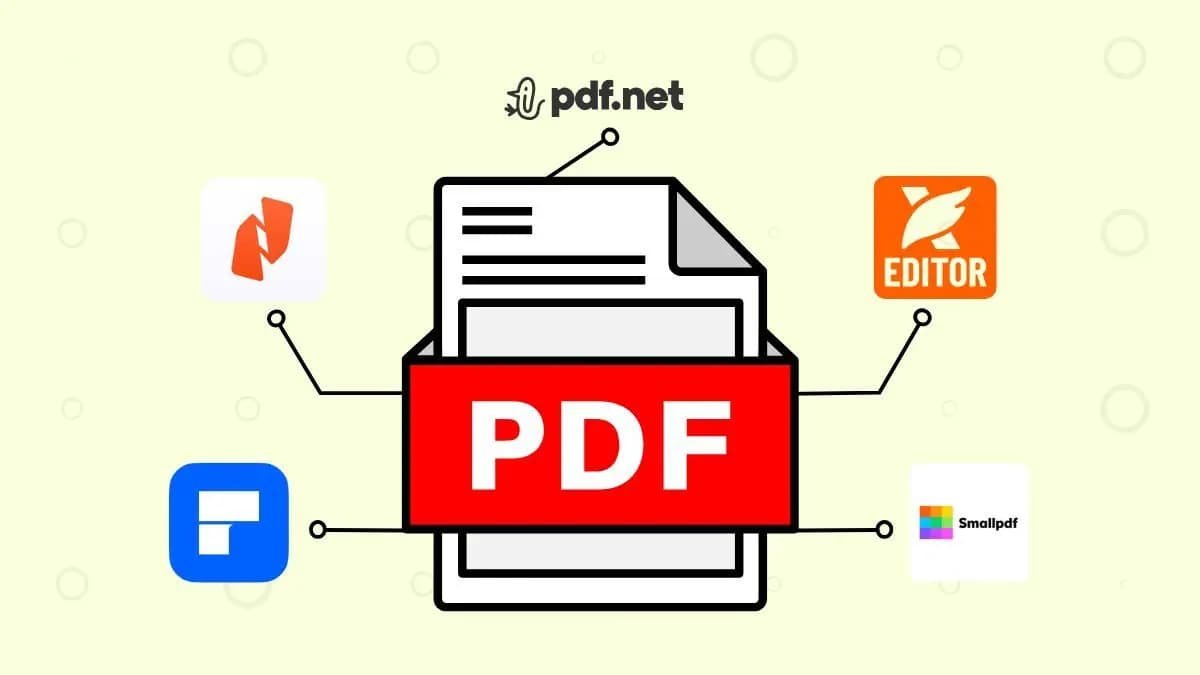
PDF files are widely used for documents, contracts, reports, and academic work. However, editing PDF files can be difficult without the right software. Over the years, PDF editing tools have evolved with advanced features like Optical Character Recognition (OCR), document signing, cloud collaboration, and even AI-powered editing. In 2026, several powerful PDF editors are available, with Adobe Acrobat still leading the market while many alternatives offer competitive features at lower costs.
Understanding the strengths and limitations of each tool can help users choose the best PDF editing software for their needs.
Adobe Acrobat – The Industry Standard
Adobe Acrobat remains the most popular and widely used PDF editing software. It is known for its comprehensive features and reliability. Businesses, students, and professionals rely on it for creating, editing, converting, and securing PDF documents.
One of Acrobat’s biggest strengths is its powerful editing capabilities. Users can modify text, images, and layouts directly within a PDF file. It also includes advanced tools such as OCR for scanning documents, digital signatures, password protection, and collaboration features.
Adobe has also introduced AI-powered tools that allow users to interact with documents using chat-style commands, summarize content, and automate tasks such as creating presentations or audio summaries.
However, Adobe Acrobat is relatively expensive because it mainly operates on a subscription model. For many casual users or small businesses, this cost has encouraged them to explore alternative tools.
Foxit PDF Editor – Powerful and Cost-Effective
Foxit PDF Editor is often considered the closest competitor to Adobe Acrobat. It offers nearly the same functionality, including text editing, form creation, OCR, and document comparison.
One major advantage of Foxit is its performance. The software is lightweight and launches faster than many other PDF editors. It also includes collaboration tools, cloud integration, and advanced security features.
Another attractive feature is its price. Foxit subscriptions are generally cheaper than Adobe Acrobat, making it a popular choice for businesses that want powerful editing tools without paying high subscription fees.
Because of its balance between performance, features, and pricing, Foxit is often recommended for professionals and organizations.
EaseUS PDF Editor – Best Value for Windows Users
EaseUS PDF Editor is a strong option for Windows users who want professional features at a lower price. It supports editing text, inserting images, converting PDFs into other formats, and protecting files with passwords.
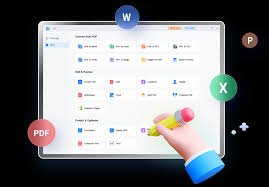
The software also includes OCR technology, allowing users to convert scanned documents into editable text. In addition, EaseUS offers a lifetime license option, which can be appealing for users who prefer a one-time purchase instead of recurring subscriptions.
While it lacks cross-platform support, EaseUS remains a solid and affordable choice for Windows users.
Nitro PDF Pro – Ideal for Business Workflows
Nitro PDF Pro is another popular PDF editing tool used in professional environments. Its interface is designed to resemble Microsoft Office, making it easy for new users to learn.
The software includes features such as PDF editing, document conversion, collaboration tools, and e-signature capabilities. Nitro also integrates with business platforms like Microsoft 365 and Google Workspace, allowing teams to manage documents more efficiently.
Because of its productivity-focused tools, Nitro is widely used in corporate settings.
Online PDF Editors – Quick and Convenient
Besides desktop software, many users now prefer online PDF editing tools. Platforms such as Smallpdf, Canva PDF Editor, and pdfFiller allow users to edit, convert, and sign PDFs directly in a web browser.
These tools are convenient because they do not require installation and can be accessed from any device. However, they usually offer fewer advanced features than desktop applications and may require a subscription for full functionality.
Online editors are ideal for quick tasks like merging files, adding annotations, or converting documents.
How to Choose the Right PDF Editor
Selecting the best PDF editor depends on your specific needs. If you require advanced editing tools and professional features, Adobe Acrobat remains the best choice. For users seeking a cheaper but powerful alternative, Foxit PDF Editor provides excellent value.
If affordability is the main priority, EaseUS PDF Editor offers strong features with flexible pricing. Meanwhile, online tools are suitable for occasional users who need simple editing capabilities without installing software.
Conclusion
PDF editing tools have become essential in modern workplaces and digital communication. While Adobe Acrobat continues to dominate the market with its advanced capabilities, alternatives like Foxit PDF Editor, EaseUS PDF Editor, and Nitro PDF Pro provide powerful features at more affordable prices.
Ultimately, the best PDF editing software depends on your budget, required features, and preferred platform. By comparing these tools carefully, users can find the perfect solution for managing and editing their PDF documents efficiently.










Related Posts

Stay Informed With the Latest & Most Important News
Previous Post
Next Post












-
 01Why More People Are Investing in Performance Running Shoes in 2026
 -
 0210 Thoughtful Gift Ideas for Every Special Occasion
 -
 03From Idea to Online Brand: The 2026 Blueprint for Building a High-Converting Website
 -
 04Healthy Meal Delivery Ideas for Busy Professionals
 -
 05How Namecheap Helps Small Businesses Build an Online Presence
 -
 06Shutterstock Unlimited: A Smarter Way to Power Your Creative Projects
 -
 07Beyond the Basics: Essential Dog Accessories and Grooming Tools for 2026